
You can change the hostname from SolusVM. SolusVM is the control panel included with our VPS hosting plans.
1. Login to your SolusVM Control Panel.
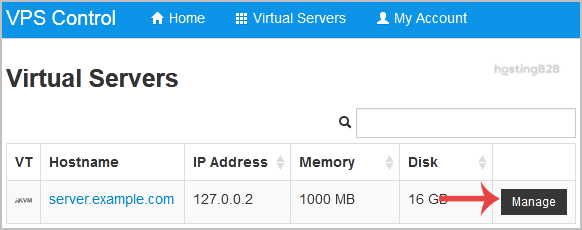
2. If you have multiple VPS, select the appropriate one.

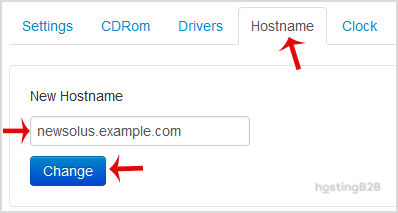
3. Scroll down, and under the Hostname tab, enter your hostname in the text box under New Hostname. Then click on Change.
4. A reboot is required so that the saved changes can take effect.
Some example hostnames:
server1.example.com
hostingserver.example.com
You have successfully changed the hostname in SolusVM. For proper hostname resolution, ensure your DNS hosting is correctly configured.








