SolusVM allows you to enable or disable VNC, PAE, APIC, and ACPI. These settings are available on our VPS hosting plans with KVM virtualization.
Change VNC, PAE, APIC or ACPI from SolusVM. HostingB2B VPS hosting includes SolusVM, so you can toggle those KVM settings and reboot the server from the same control panel.
1. Login to your SolusVM Control Panel.
Have a question about SolusVM settings such as VNC or ACPI? Chat with our support team on Telegram.
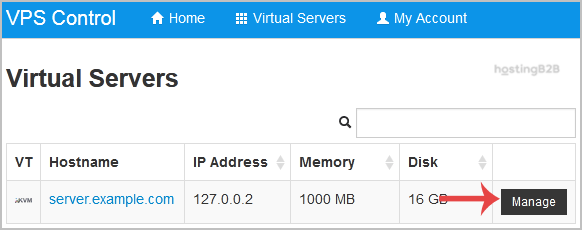
2. If you have multiple VPS, then select the appropriate one.

Prefer WhatsApp? Chat with HostingB2B about SolusVM settings such as VNC or ACPI.
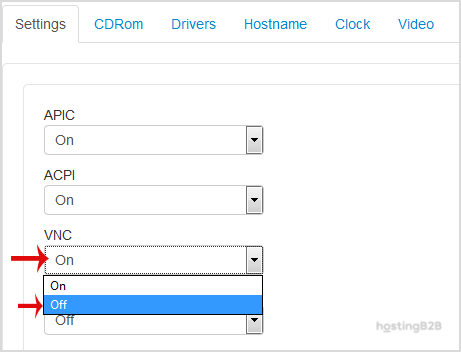
3. Scroll down, under the settings tab you can find APIC, ACPI, VNC or PAE. If you want to turn off VNC, select the Off option from the Drop-Down menu under the VNC option.
Run the VPS with HostingB2B
Review HostingB2B VPS hosting, or talk to us about a KVM plan with SolusVM access for settings like these.
4. After making any changes (on/off), reboot your VPS.