
Easy guide to help you remove parked domain name in cPanel. Parked domains (aliases) are available on all our web hosting plans.
1. Log into your cPanel account.
2. In the Domains section, click on Parked Domains Icon.

3. Under Remove Aliases, locate the parked domain name and click on the Remove link.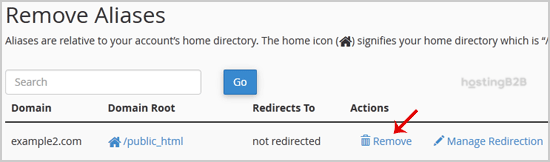

4. For confirmation, you will need to click on the Remove Alias button once more.
You have successfully removed a parked domain via cPanel. If you want to use the domain for a separate website instead of parking it, see our guide on creating an addon domain. To register a new domain or transfer an existing one, visit our domain registration services. For managing your domain’s DNS records, explore our DNS hosting solutions.








