Kneed to know more about Plesk? Read below and learn how to Download and Generate a full backup of your account.
1. Log in to your Plesk account.
2. Please go to Websites & Domains > Backup Manager.

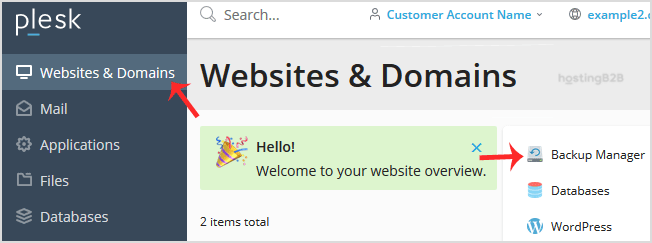
3. Under Backup Manager, click Backup Up.

4. Choose Full as backup type.

5. If you wish to receive a notification on backup completion, you can tick the “When a backup task is completed, send a notification email to” option.

6. Click Ok, and the backup will start generating in the background. At this point, you can navigate away.
How to Download a backup of your Plesk account?
1. Please go to Websites & Domains > Backup Manager.
2. Under Backup Manager, click on Backup Up.
3. From the backup list, click the download icon.

4. If you wish to password protect your backup file, tick mark Use password protection and enter a password. Then confirm with Ok.

5.
Host the account with HostingB2B
A download link will appear. Please, save it to your computer.
More about Plesk read Here.
The post Download and Generate a full backup of your Plesk account appeared first on HostingB2B.