

You can Enable or Disable 2D/3D acceleration, or you can change the video card type in SolusVM. SolusVM is included with our VPS hosting plans. For GPU-intensive workloads, see our GPU hosting solutions.
1. Log into your SolusVM Control Panel.
2. If you have multiple VPS, select the appropriate one.

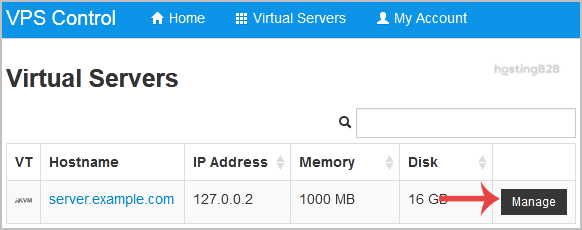
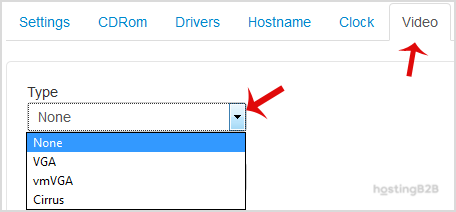
How to Change the Video Type in SolusVM?
1. Scroll down, and under the video tab, change the type from the drop-down menu to the appropriate video type and then reboot your VPS.
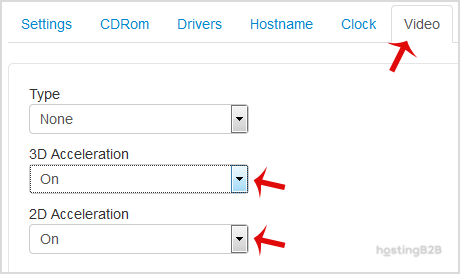
How to Enable 2D/3D Acceleration?
1. Scroll down, and under the Video tab, if you want to Disable the 3D Acceleration, choose the Off option from the drop-down menu. If you want to enable it, chose On from the 2D/3D Acceleration drop-down instead.
2. Reboot your VPS.
Note: Virtualization like KVM does not support 2D/3D acceleration on some operating systems.








