
A simple guide to help you create a domain alias in DirectAdmin. Domain aliases allow multiple domains to display the same content — useful when you own several domain variations for your web hosting account.
With domain alias, you can access old.example.com on new.example.com and some other services.
1. Log in to your DirectAdmin Account.

2. In the Account Manager section, click on the Domain Pointers Icon or type Pointers in the navigation filter box, and then the option will appear. Click on it.
3. On the top right-hand side, click on the Create Domain Pointers button.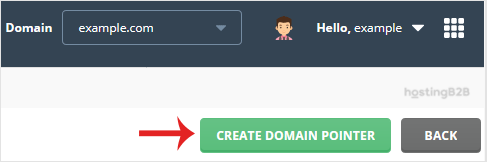
4. Under Source Domain Enter your domain pointer name.
5. Make sure that Create as an Alias is tick marked.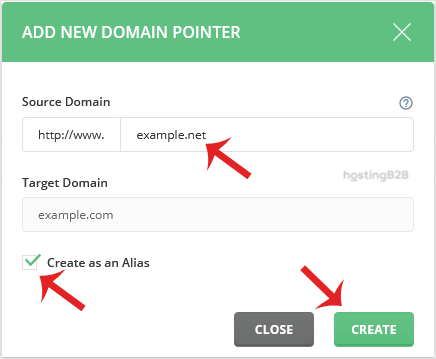
6. Click on the Create button.
You have successfully created a domain alias in DirectAdmin. If you need to remove an alias later, follow our guide on removing a domain alias in DirectAdmin. To register additional domains, use our domain registration service. For managing DNS records across your domains, explore our DNS hosting solutions.








