
You can disable Apache SpamAssassin in DirectAdmin in 3 steps. SpamAssassin is a spam filtering tool available on all our web hosting and email hosting plans.
1. Firstly log in to your DirectAdmin Account.
2. Then go to the E-mail Manager section and click on the SpamAssassin Setup icon.


3. Finally on the top right-hand side, click the Disable SpamAssassin button.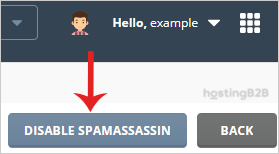
You have successfully disabled Apache SpamAssassin in DirectAdmin. If you need to re-enable it later, see our guide on managing spam filters in DirectAdmin. For more granular email filtering, learn how to block large emails or block emails by keyword.








