
Picking your VPS—managed or unmanaged—is a high-stakes call that dictates your team’s firefighting hours versus revenue wins. Managed hands off the grunt work like kernel patches and 24/7 monitoring, letting you laser-focus on iGaming scaling. Unmanaged? Raw power and cost savings, but only if your crew thrives on Ansible scripts and NVMe tweaks. For B2B hosting pros, it’s not abstract—it’s audit survival in MGA/Curaçao land. One wrong bet, and you’re patching vulnerabilities at 3 AM instead of closing deals. This breakdown cuts through the noise with tradeoffs that hit your bottom line. And if the managed-versus-unmanaged question is part of a wider platform decision, our guide to the best Linux hosting for your business frames the full provider evaluation.
What Is VPS Hosting?
VPS hosting is a sophisticated solution where a high-performance physical server is partitioned into multiple isolated virtual environments using a hypervisor (such as KVM, VMware, or Xen). Unlike shared hosting, where a “noisy neighbor” can spike your latency, a VPS ensures that your allocated CPU cores, RAM, and NVMe/SSD storage are yours alone. In the hierarchy of VPS hosting types, this sits perfectly between the budget-friendly shared plans and the high-overhead dedicated servers. It provides the security of a private environment and a dedicated IP address, which is essential for SSL certificates and secure payment processing in iGaming or Fintech.

What Is a Managed VPS?
A Managed VPS is an all-inclusive service where the hosting provider’s sysadmins act as an extension of your team. This is the “peace of mind” option. The provider doesn’t just give you a login; they handle the initial architecture, security hardening, and continuous optimization. For a business owner, this means you don’t need to know how to patch a Linux Kernel vulnerability or how to tune a MySQL database for high-concurrency traffic. The provider monitors the “health” of the software stack, ensuring that your application stays online even during traffic surges or automated bot attacks.
What Is an Unmanaged VPS?
Unmanaged VPS meaning fundamentally refers to a “self-service” infrastructure model. Here, the provider’s responsibility ends at the “virtual power plug.” They guarantee that the hardware is powered and the network is routing traffic to your IP, but the “interior” of the server is a blank canvas.
When you choose an unmanaged path, you receive Full Root Access. This means you are responsible for:
- Choosing and installing the Operating System (Ubuntu, Debian, AlmaLinux, etc.).
- Configuring the web server (Nginx, Apache, or LiteSpeed).
- Setting up PHP-FPM, database engines, and mail transfer agents.
- Implementing your own backup and disaster recovery protocols.
Managed vs Unmanaged VPS: Key Differences
The core of the managed vs unmanaged VPS conflict lies in the trade-off between total control and operational efficiency. If you have a dedicated DevOps specialist, unmanaged gives them the freedom to build a bespoke environment. If you don’t, unmanaged can quickly become a technical debt trap.
| Feature | Managed VPS | Unmanaged VPS |
| Onboarding | Turnkey. OS and Stack are pre-optimized. | Manual. Starts with a command-line interface. |
| Security Lifecycle | Proactive “Bootless” patches and automated CVE monitoring. | Manual. You must track and apply security updates. |
| Stack Hardening | Expert setup of Firewalls (Iptables/uFW) and WAF. | DIY. One misconfiguration can expose your data. |
| Performance Tuning | Provider optimizes PHP/SQL for your specific CMS. | Standard settings. You must manually tune for performance. |
| Technical Support | 24/7 access to Senior Sysadmins for any issue. | Hardware/Network support only. Software is your job. |
| Business Focus | Focus on ROI, Marketing, and Sales. | Focus on Uptime, Patches, and Debugging. |
Pros and Cons of Managed VPS
When weighing VPS managed vs unmanaged, consider the value of your time.
Pros (Managed VPS benefits):
- Instant Scalability: Need to upgrade resources for a promo campaign? The managed team handles the migration and testing.
- Proactive Security: Many managed plans include CIS Benchmarking and hardening that prevents 99% of common brute-force attacks. For a detailed walkthrough of the hardening steps involved, see our guide on how to secure a Linux server.
- Disaster Recovery: Managed services usually include off-site backups and a verified restoration path.
- Focus: Your developers can write code instead of managing server logs.
Cons:
- Premium Pricing: You are paying for a human expert’s time.
- Software Constraints: Some providers may restrict non-standard or highly experimental software to ensure system stability.
Pros and Cons of Unmanaged VPS
While Managed services offer simplicity, many technical teams require an environment that doesn’t impose boundaries on their stack. If you are building custom automation or need to squeeze every drop of performance out of the hardware, finding the Best VPS Hosting for Developers often means opting for an unmanaged setup where you have total sovereignty over the software lifecycle.
Pros:
- Granular Control: You can modify the kernel, install custom modules, and strip away every unnecessary background process.
- Lower Direct Cost: It is the cheapest way to get high-performance hardware.
- Privacy: Since no one else has access, you have absolute control over your data environment.
Cons:
- The “3 AM Problem”: If your web server crashes in the middle of the night, you (or your team) must wake up to fix it.
- Security Risk: Without professional hardening, unmanaged servers are primary targets for automated botnets.
Cost Comparison: Managed vs Unmanaged VPS
This is where many businesses make mistakes. They look at the €10/mo price tag of an unmanaged server and compare it to a €50/mo managed plan, seeing a €40 “saving.”
The Reality of “Hidden” Costs:
If your internal specialist (or you) spends just 3 hours a month on routine updates, security checks, and troubleshooting, you have likely spent over €150 in labor costs.
Our Solution:
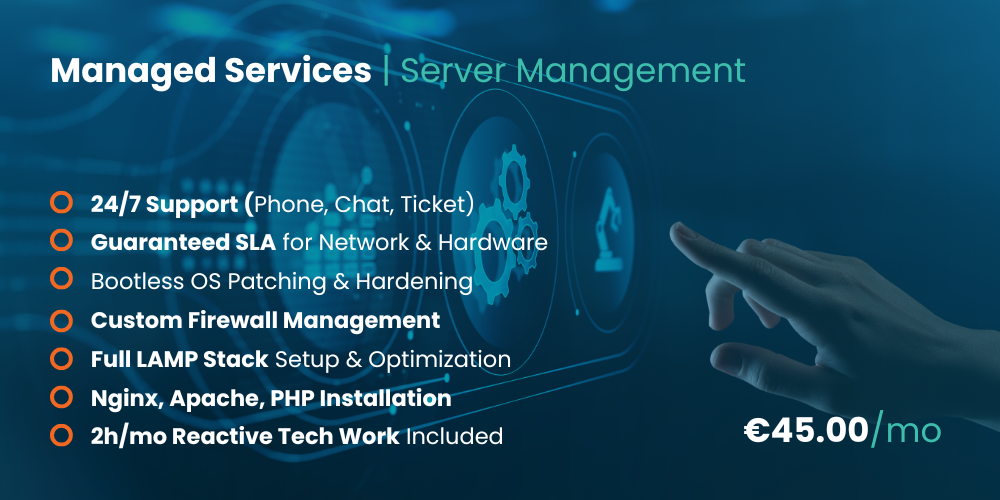
At HostingB2B, we bridge this gap. We offer a comprehensive managed services add-on for €45.00/mo. By adding this to any VPS, you get:
- 24/7 Priority Support via Phone, Chat, and Ticket.
- Proactive Security: We handle bootless OS updates and patches so your server never goes down for maintenance.
- Expert Hardening: We initialize your LAMP/LEMP stack and configure Firewalls (Iptables, Firewalld, uFW).
- Reactive Work: Includes 2 hours per month of technical labor for any custom configuration changes you need.
Which One Should You Choose?
Should I choose managed VPS?
- Choose Managed if: You are running a production-grade e-commerce site, a regulated iGaming platform, or a client-facing SaaS. If downtime costs you money, you need a managed service.
- Choose Unmanaged if: You are running a development/staging environment, a personal lab, or if your company already employs a full-time System Administrator.
If your business lands on the “choose managed” side of that line, HostingB2B’s Managed VPS Hosting hands you a pre-hardened, continuously monitored environment so your team never has to own the patch cycle or firewall rules.
Ultimately, the managed vs unmanaged VPS decision is about risk management. Investing in management is an insurance policy for your online presence. Whichever path you choose, setting up proper observability from day one is essential — our guide on how to monitor server performance like a pro covers the tools and workflows that keep both managed and unmanaged environments healthy.
FAQ
Absolutely. Many clients start unmanaged to save costs during development and switch to our €45/mo Management Plan once the site goes live.
Usually, no. You get a terminal. If you need a GUI or a panel like cPanel or ISPmanager, you must install it and manage the licenses yourself.
Indirectly, yes. Managed servers are tuned for speed and have higher uptime. Search engines like Google prioritize fast-loading, reliable websites in their rankings.
It means our systems watch your server 24/7. If your RAM usage hits 95% or a service stops responding, our team is alerted and often fixes the issue before you even notice something was wrong.
Significantly. For iGaming operators, regulatory bodies like the MGA or Curaçao e-Gaming require strict data integrity and audit trails. With a Managed VPS, our team implements the necessary security hardening and logging protocols “out of the box,” making your technical audit much smoother. On an Unmanaged VPS, you are solely responsible for ensuring your configuration meets these high-stakes compliance standards.
Yes, but with a caveat. While Unmanaged VPS is built around providing Full Root Access for total DIY control, we can provide root access on Managed plans as well. However, to maintain our management guarantee, we recommend coordinating major configuration changes with our senior sysadmins to ensure stability and prevent security gaps.
In the B2B and Fintech sectors, latency is the enemy. We utilize high-speed NVMe storage across our infrastructure because it offers up to 5x the throughput of standard SSDs. On a Managed VPS, our team goes a step further by tuning your filesystem and database engine to specifically leverage this raw power, ensuring your high-concurrency applications run without bottlenecks.
If your team thrives on Ansible scripts and custom Docker orchestration, an Unmanaged VPS provides the “blank canvas” you need. It allows your DevOps specialists to perform deep NVMe tweaks and kernel modifications without any provider-imposed restrictions. However, if you want the infrastructure ready to host these tools without the setup headache, our Managed VPS team can hand over a pre-hardened environment ready for your deployments.