
If you want to remove the Two-Factor Authentication from your cPanel account, follow this instruction. This feature is available on all our web hosting plans.
1. Firstly log into your cPanel account.
2. Secondly in the Security section, click on the Two-Factor Authentication Icon.

3. Then click on the Remove Two-Factor Authentication button.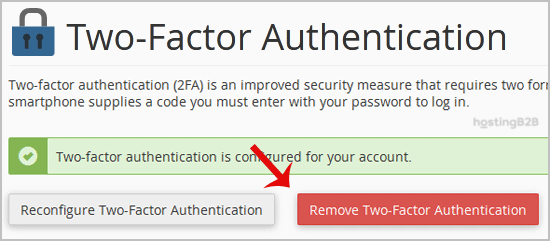
4. Finally for confirmation, click on Remove.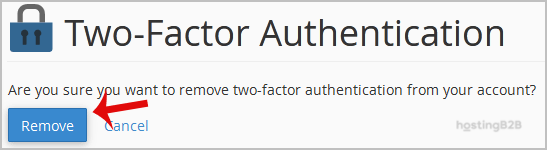
After that you will see a message like Success: The system removed the two-factor authentication from your account.
Important: We strongly recommend keeping 2FA enabled for security. If you need to re-enable it, see our guide on enabling two-factor authentication.








