If you have added a new domain, you can also remove it using your Plesk panel should you wish to do so.
Plesk is the control panel on many HostingB2B web hosting plans. If you need to add or remove domains, a HostingB2B web hosting plan gives you a Plesk panel to do it yourself.
1. Log in to your Plesk account.
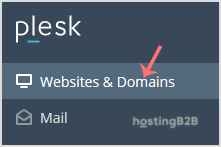
2. In the Sidebar Menu, click on Websites & Domains.


Have a question about Plesk or a web hosting plan? Chat with HostingB2B support on Telegram.
3. Under Domain Name, you can see the list of your domains. Click on the More icon  and then on Delete Website.

4. Confirmation box will appear. Click Yes to remove your domain.
Visit our blog for more knowledgebase articles !
Manage domains on a HostingB2B web plan
Review the web hosting plans, or talk to us about a Plesk plan that fits the number of domains you need to host.
The post How to remove a domain in Plesk? appeared first on HostingB2B.