You can change the root/admin password of your VPS Operating System using SolusVM. Regularly rotating your root password is a critical security practice — we recommend changing it every 90 days or immediately if you suspect unauthorized access.
1. Log into your SolusVM Control Panel.
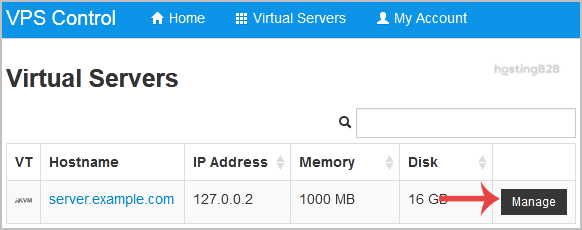
2. If you have multiple VPS, select the appropriate one.

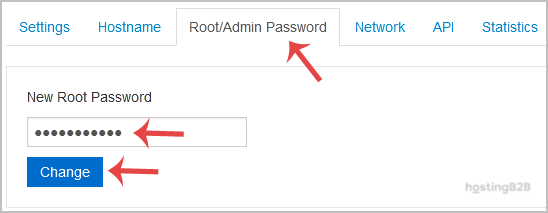
3. Scroll down, and under the Root/Admin Password tab, if it shows the password field, enter your password and click on Change.
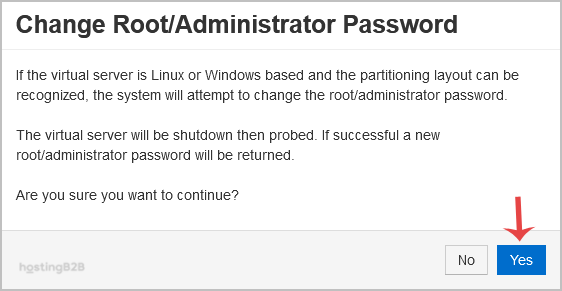
4. It will prompt for confirmation. Click on Yes.
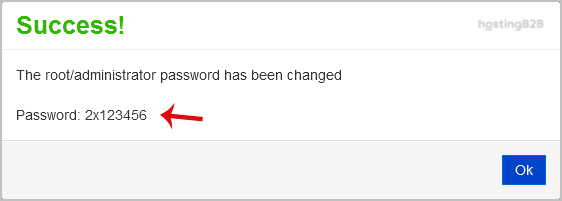
5. It can take some time to change the password, and then it will display it. Copy the password to Notepad.
For additional server security, also consider changing your VNC password and updating your SolusVM panel password at the same time. For enterprise-grade server protection including DDoS mitigation, explore our security solutions.