Every guide on how to install Hermes Agent on a VPS Hosting eventually collapses into a wall of terminal output. This one deliberately does not. Commands change between releases; the logic of a deployment does not. If you understand the five decisions below — server, user, installer, configuration, persistence — you can complete the entire Hermes Agent install in about fifteen minutes using nothing more than the official documentation as your syntax reference, on any provider, on any current release.
What You Are Actually Deploying
Hermes Agent is the open-source, self-improving AI agent from Nous Research. It lives on a server as a command-line application, exposes an OpenAI-compatible API, and ships with built-in tools for terminal access, file operations, web search, and persistent memory. Its defining trait is a closed learning loop: the agent creates skills from experience and refines them with use, so it becomes measurably more capable the longer it runs. It is also model-agnostic. Any LLM with a 64,000-token context window works — the Hermes 3 and Hermes 4 families natively, plus 400+ models via Nous Portal or OpenRouter, alongside direct Anthropic and OpenAI integrations. You bring the model; Hermes provides everything that turns it into a persistent, always-on agent.
The reason to self-host Hermes Agent rather than run it on a laptop is continuity. Locally, the agent dies the moment your machine sleeps. On a VPS, it becomes a genuine hermes agent server: scheduled tasks fire on time, memory accumulates uninterrupted, and the messaging gateway — Telegram, Discord, Slack, WhatsApp, Signal, email, sixteen platforms in total — stays reachable 24/7. For teams in regulated environments such as fintech, iGaming, or SaaS, there is a second reason: API keys, conversation history, and learned skills remain on infrastructure you control.
Decision One: The Server
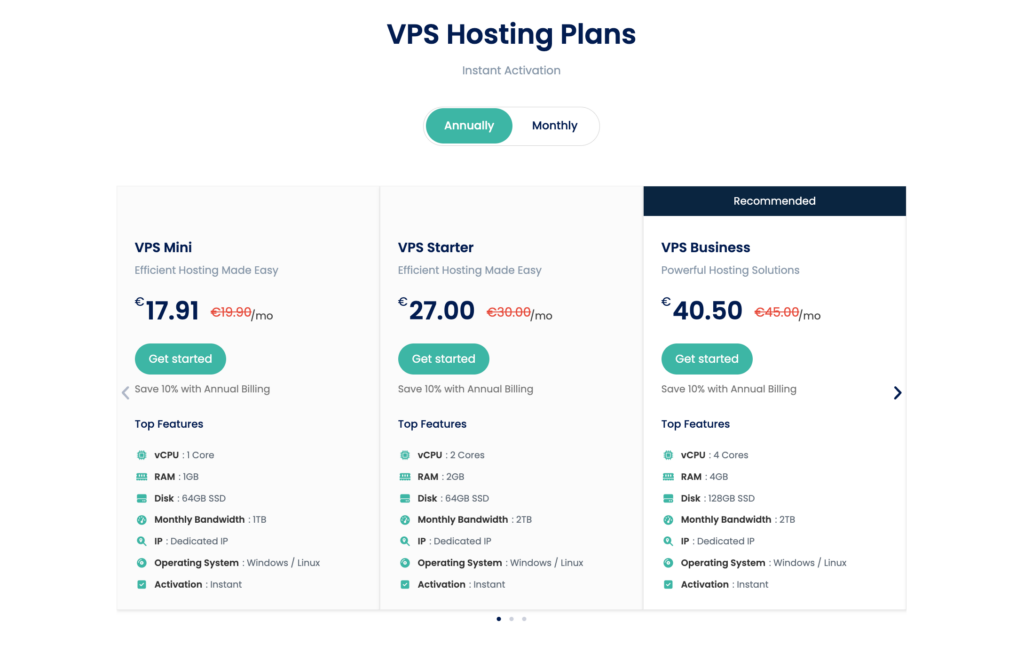
Hermes itself is lightweight; the model strategy dictates the hardware.
- API-backed models (OpenRouter, Anthropic, OpenAI): an entry-level plan with one vCPU and 1–2 GB of RAM is genuinely sufficient.
- Multiple messaging channels and a growing memory store: step up to 2 vCPU and 4 GB.
- Local inference via Ollama on the same box: plan for 4+ vCPU and 8–16 GB before you deploy, not after.
Choose Ubuntu 22.04/24.04 or Debian 12 with full root SSH access. Since the entire value of a hermes agent 24/7 deployment is that it never goes down, weigh redundancy, DDoS protection, snapshots, and backup options at least as heavily as the monthly price.
Decision Two: The User
Connect to the fresh server over SSH and, before anything else, bring the operating system fully up to date and confirm that Git and curl are present — Git is the only prerequisite the Hermes installer cannot provision for itself. Python 3.11+ is required, but the installer supplies its own managed Python runtime, so there is nothing for you to configure there.
Then apply the single most important security habit in any guide on how to install Hermes Agent on a VPS: create a dedicated non-root user with sudo rights, move your SSH keys to it, and perform every remaining step under that account. A long-lived autonomous agent should never run with root privileges; this one choice removes an entire class of risk.
Decision Three: The Installer
Nous Research maintains an official one-line installer, published in the hermes-agent repository on GitHub. Fetched over HTTPS and executed in your shell, it provisions the managed Python environment, installs Node.js, resolves every dependency, and registers the hermes command in your path. Copy it verbatim from the official README rather than from any third-party article — including this one — so you always run the current release. If the command is not recognized afterwards, logging out and back in refreshes the shell and resolves it.
That is the entire answer to how to install Hermes Agent on a VPS: one line from the official source, executed as your dedicated user.
Decision Four: The Configuration
The complete Hermes Agent setup happens inside an interactive wizard, launched with the agent’s setup command. It walks you through the model provider, API keys, enabled tools, skills, and runtime preferences. OpenRouter is the fastest route to a working key; direct Anthropic or OpenAI credentials work identically. Two rules apply:
- Secrets live in configuration and environment files only — never in prompts, never in anything you might commit to a repository.
- Validate before you build. Hermes includes a built-in diagnostic (the “doctor” check) that verifies dependencies, paths, and configuration in seconds. Run it, and only proceed once it reports clean.
At this point, opening the interactive CLI and running one small prompt end-to-end proves the foundation works. Resist wiring up integrations before that smoke test passes.
Decision Five: Persistence — Turning an Install Into a Hermes Agent Server
A configured agent still dies with your SSH session. The gateway’s built-in service installer registers Hermes with systemd, so it starts on boot, restarts after crashes, and keeps every connected messaging channel alive whether or not you are logged in. This single step is what separates a demo from a hermes agent 24/7 deployment. All channels share one memory store — what the agent learns in Telegram, it remembers in Slack.
The Hermes Agent Docker Path
For production and multi-profile use, a Hermes Agent Docker deployment is the recommended pattern, following a one-container-per-profile convention. Containers buy you three things the native install does not:
- Isolation. The agent’s terminal and file-system reach is sandboxed away from the host — meaningful for an agent that executes code and browses autonomously.
- Clean multi-tenancy. Each client, project, or environment gets its own container, memory, and credentials.
- Deterministic updates. Rebuilding an image is reproducible; patching a native install occasionally is not.
Install Docker Engine from the official repository, grant your dedicated user Docker access, and deploy from the official image. Several hosting providers also list Hermes Agent as a one-click Docker template in their VPS catalogs, which compresses this entire section into a single dashboard action. The honest trade-off: native is faster for personal use; Docker is cleaner for anything that matters.
Operating It Like Production Infrastructure
A self-hosted agent deserves the same discipline as any production service:
- Keep the dashboard private. Hermes ships a local web dashboard for configuration, sessions, skills, and logs. Reach it through an SSH tunnel or a reverse proxy with HTTPS and authentication — never as a raw port open to the internet.
- Close the firewall. Permit SSH and only the ports your gateways genuinely need; polling-mode channels need no inbound ports at all.
- Back up the agent’s home directory. Memory, skills, and configuration all live there. Snapshot before major upgrades — the official updater preserves state, but a rollback point costs nothing.
- Watch resource growth. The vector-backed memory store expands over time; set restart thresholds in your process manager or container runtime and verify gateway delivery after every server reboot.
- Gate the risky actions. Wherever the agent touches paid APIs, production systems, or public channels, add a human approval point. Speed is the feature; reversibility is the safeguard.
Hermes Agent vs OpenClaw
The hermes agent vs openclaw question comes up in nearly every deployment discussion, and it is really a question of philosophy. OpenClaw — now under OpenAI’s ownership — is architected around multiple agents collaborating on complex, parallel workflows, and it carries the orchestration overhead that implies. Hermes takes the opposite bet: one assistant that compounds, learning from every interaction and maintaining context indefinitely.
In practice, OpenClaw suits larger teams engineering elaborate multi-agent automations. Hermes suits solo founders, freelancers, and small operations teams who want a single dependable operator on a modest VPS — one that handles the recurring, structured work of real operational life (digests, reports, monitoring, cross-channel communication) and gets better at it every month. For most people searching for a self-host Hermes Agent guide, the second profile is the accurate one.
Frequently Asked Questions
Realistically, you will type a handful — but you never need to memorize any. Every command in the flow is copied once from the official documentation or handled by the setup wizard. One-click Docker templates from hosting catalogs remove even that.
Roughly fifteen minutes from first SSH login to a running agent, assuming your LLM API key is ready.
Yes. Memory, skills, and configuration are written to disk, and the official updater migrates configuration while preserving everything the agent has learned.
With API-backed models, a €5–10/month VPS is sufficient; model usage is usually the larger line item.
Final Thoughts
Stripped of terminal noise, installing Hermes Agent on a VPS comes down to five decisions executed in order: a right-sized server, a non-root user, the official installer, a validated configuration, and a systemd-managed gateway. The only thing this guide can’t do for you is provision the server itself. Deploy a VPS with full root access, NVMe storage, and DDoS protection in minutes — and have a self-improving assistant working while you sleep by the end of the day. Choose your VPS plan today → https://hostingb2b.com/vps-hosting/