HostingB2B » How to » VPS Hosting » Set VPS self shutdown/start/reboot timer in Virtualizor

Set VPS self shutdown/start/reboot timer in Virtualizor

Summarize with:
Summarize with AI
Share:

Do you know that you can set a self shutdown timer for your VPS to start/shutdown/reboot or Power off at a specified time? This is a handy feature provided by Virtualizor.

1. Log in to your Virtualizor Control Panel.

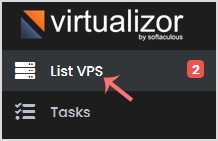
2. In the left side panel, click on List VPS.

Related ReadHow to Setup TeamSpeak Server on Linux: The Ultimate Step-by-Step Guide
Virtualizor

3. Hover your mouse on the appropriate VPS, and that line will be highlighted. Then click on the Manage icon in the highlighted line.

Virtualizor vps

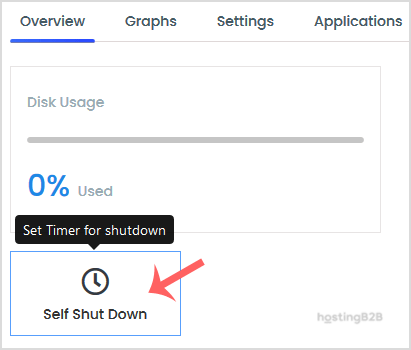
4. Click on the Self Shut Down.

Virtualizor Self Shutdown Timer

5. Enter Date, Hour, Minute, and select Action. Then, tap on Save.
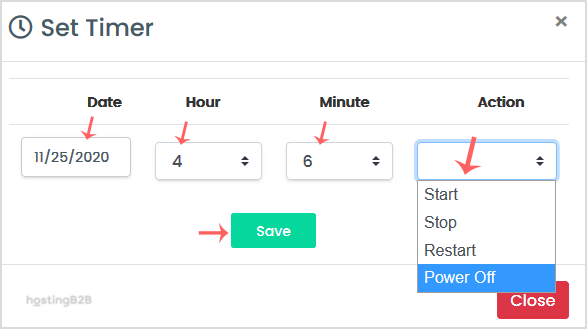
Virtualizor Self Shutdown Timer
© 2026 All Rights Reserved. HostingB2B

Hosting B2B LTD is a Company registered in Cyprus with Company number HE410139 and VAT CY10410139C

Contact Info

© 2026 All Rights Reserved. HostingB2B