
You can use CloudLinux’s selector to change your website’s PHP Version in DirectAdmin. CloudLinux provides various PHP Versions to choose from. This feature is available on all our web hosting plans.
1. Log-in to your DirectAdmin account.

2. In the Extra Features section, click on the Select PHP version icon or type Select PHP in the navigation filter box. The option will appear. Click on it.

3. In front of Current PHP version, click on the drop-down menu and choose the version you wish to use.
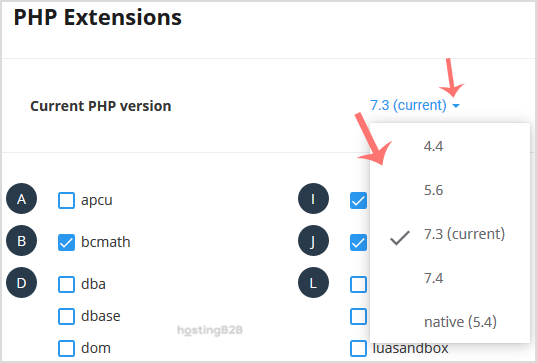
4. Click Set as current.
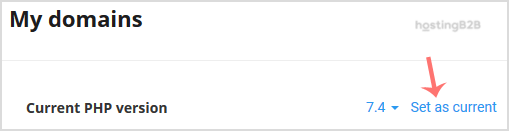
You have successfully changed the php version using Cloudlinux Selector in DirectAdmin. After changing the PHP version, you may also need to enable or disable PHP extensions or configure display_errors for debugging. For full root access to manage PHP at the server level, consider our VPS hosting plans.








