HostingB2B » How to » Web Hosting » Delete self shutdown timer in Virtualizor

Delete self shutdown timer in Virtualizor

Summarize with:
Summarize with AI
Share:

If you have already set a shutdown timer in Virtualizor, but decided to delete it later on, follow this tutorial.

A shutdown timer is only yours to delete if you control the VPS. HostingB2B KVM VPS plans include full root access, a dedicated IP and Virtualizor, so you can delete a self shutdown timer from the panel whenever your schedule changes. Plans start at €30.00/month on the VPS page.

See VPS plans from €30.00/mo

1. Log in to your Virtualizor Control Panel.

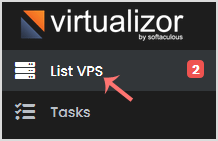
2. In the left side panel, click on List VPS.

Women in Tech Old
Related ReadCelebrating Women in Tech: Empowering Diversity with HostingB2B
Virtualizor

3. Hover your mouse on the appropriate VPS, and that line will be highlighted. Then click on the Manage icon in the highlighted line.

Virtualizor VPS
Need a VPS where you can clear a shutdown timer yourself? HostingB2B KVM plans include Virtualizor, so the Self Shut Down tool in this guide is in your panel.

See VPS plans

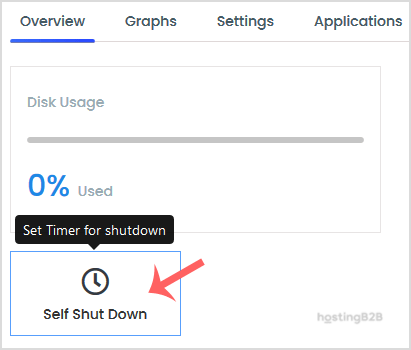
4. Click on the Self Shut Down.

Virtualizor Self Shutdown Timer

5. If you have multiple timers, hover your mouse on the appropriate one, and that line will be highlighted. Then click the Delete button in the highlighted line.
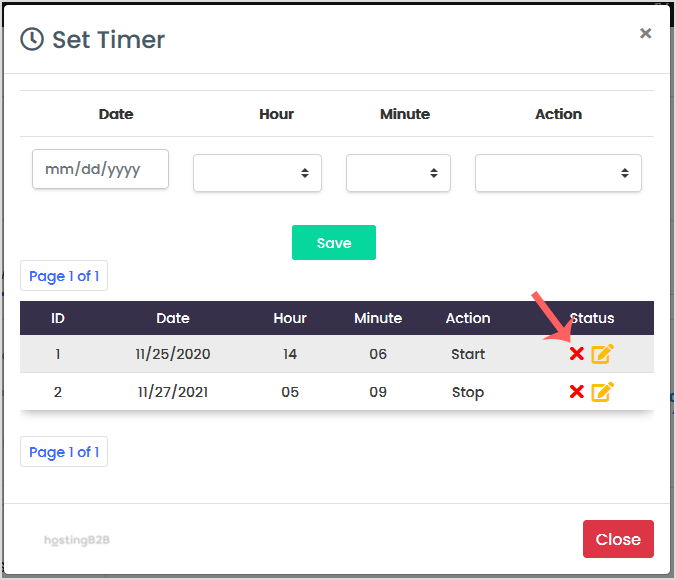
Virtualizor Delete Self Shutdown Timer

VPS plans with Virtualizor included

Live monthly list prices from the HostingB2B VPS hosting page. Business is marked Recommended there. Each plan includes full root access, a dedicated IP and Virtualizor, including the Self Shut Down tool in this guide.
VPS Starter
2 GB RAM, full root access
€30.00 /month
  • vCPU · 2 cores
  • RAM · 2 GB
  • Disk · 64 GB SSD
  • Bandwidth · 2 TB/month
  • Access · Full root, dedicated IP

Get started

MOST DEPLOYED
VPS Business
4 GB RAM, full root access
€45.00 /month
  • vCPU · 4 cores
  • RAM · 4 GB
  • Disk · 128 GB SSD
  • Bandwidth · 2 TB/month
  • Access · Full root, dedicated IP

Get started

VPS Pro
8 GB RAM, full root access
€70.00 /month
  • vCPU · 4 cores
  • RAM · 8 GB
  • Disk · 128 GB SSD
  • Bandwidth · 3 TB/month
  • Access · Full root, dedicated IP

Get started

6. When asked, confirm with OK.

Telegram

Have a question about Virtualizor shutdown timers? Chat with HostingB2B support on Telegram.

Chat with Support

You now know how to delete a self shutdown timer in Virtualizor.

Get a VPS with Virtualizor included

Choose a live KVM VPS plan with root access and Virtualizor, or talk to us about the right size for your workload.

Visit our blog for more knowledgebase articles !

The post Delete self shutdown timer in Virtualizor appeared first on HostingB2B.

© 2026 All Rights Reserved. HostingB2B

Hosting B2B LTD is a Company registered in Cyprus with Company number HE410139 and VAT CY10410139C

Contact Info

© 2026 All Rights Reserved. HostingB2B