
You can use CloudLinux Selector to enable/disable the allow_url_fopen directive in cPanel.
1. Firstly log into your cPanel account.

2. After that go to the Software section and click the Select PHP Version.

3. Then Click on the Options menu.

Note: If the Options page shows an error related to the native PHP version, change it to a non-native version first.
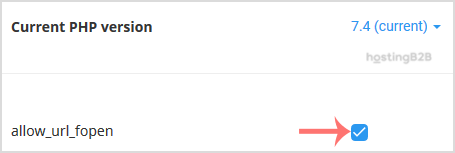
4. Finally to enable allow_url_fopen, check the allow_url_fopen box. To disable it, uncheck it.
Visit our blog for more knowledgebase articles !
The post Enable/Disable PHP’s allow_url_fopen using Cloudlinux Selector in cPanel appeared first on HostingB2B.