Setting up a new online community requires a reliable and feature-rich forum platform. This FUDforum installation guide shows you how to use the Softaculous auto-installer within your SiteWorx control panel to get your discussion board running quickly and efficiently. By following these simple steps, you can deploy a powerful and scalable forum without needing complex technical knowledge.
Step by Step FUDforum Installation Guide
This process walks you through every stage of the installation from logging into your control panel to finalizing the setup. We have broken down the process into clear actions to ensure a smooth deployment.
Accessing the Softaculous Installer
- First log into your SiteWorx account. This is typically accessed at an address like www.example.com:2443/siteworx/. If you have trouble logging in you may need to reset your SiteWorx account password.
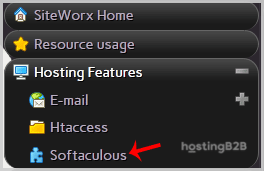
- From the main dashboard locate the SiteWorx Menu. Under this menu click the Hosting Features item to expand the section if it is not already open.
- Click on the Softaculous option to launch the application installer. For a more detailed walkthrough you can review our guide on how to access Softaculous in SiteWorx.

- SiteWorx will now open the main Softaculous interface where you can manage your applications.
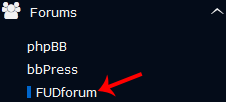
- In the navigation menu on the left side of the screen find and click the Forums category. A list of available forum software will appear. Click on the FUDforum link.
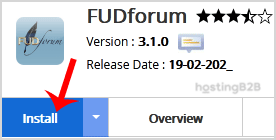
- On the FUDforum overview page click the prominent Install button to begin the setup process.
Configure FUDforum Site Settings
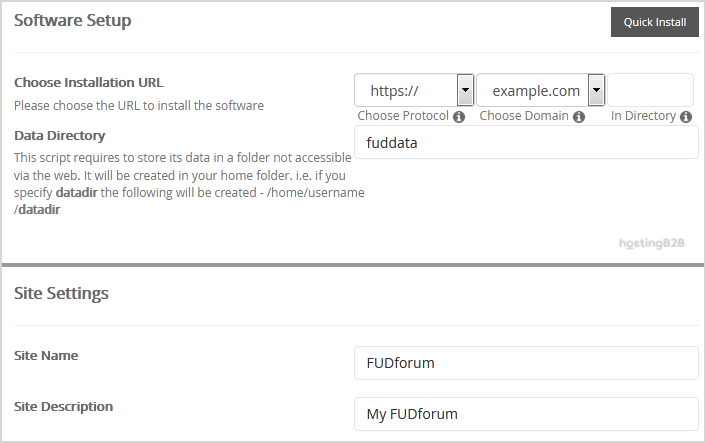
- Under the Software Setup section you must define the installation location.
- Choose Installation URL Select the correct protocol (http or https) and the domain name for your forum. If you want to install FUDforum in a subfolder such as example.com/community enter the directory name in the In Directory field. To install it on your main domain leave this field blank.
- Data Directory You can safely leave this with its default value.
- Next complete the Site Settings fields to define your forum’s identity.
- Site Name Give your forum a descriptive name such as “Your Brand Community Forum”.
- Site Description Write a brief description of your forum’s purpose.
Create Your FUDforum Admin Account
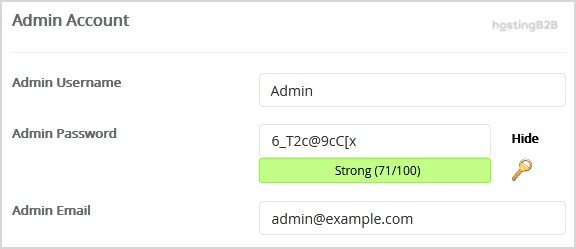
- In the Admin Account section you will create your primary administrator login. This is a critical step for managing your forum.
- Username Choose a unique username. For security purposes avoid common names like “admin” or “administrator”.
- Password Use a strong unique password containing a mix of letters numbers and symbols.
- Email Enter your primary email address. This address is essential for password resets and important forum notifications.
Note: Be sure to copy your new admin username and password and store them in a secure location.
- Review the Advanced Options section. You can leave these settings as they are unless you have a specific reason to change the database name or automated backup settings. Be aware that frequent backups can consume significant disk space.
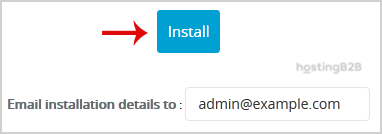
- Finally scroll to the bottom of the page and click the Install button. Softaculous will now complete the installation process for you.
Congratulations you have successfully installed FUDforum. You can now visit your domain to see your new forum live.

Critical First Steps After Installation
With FUDforum installed your work is not quite done. Taking a few immediate post-installation steps is vital for security and usability. These actions safeguard your new community and prepare it for members.
- Access the Admin Panel Log in for the first time using the administrator credentials you just created. Familiarize yourself with the control panel where you will manage users create categories and configure settings.
- Review Security Settings Check for any initial security warnings or recommendations within the FUDforum admin area. It is also a great time to implement additional Web Application Security (WAF) protection to defend against common threats.
- Create Initial Categories A new forum is an empty slate. Set up your first few discussion categories and forums to give members a place to start conversations.
- Secure Your Database Your forum contains all your user data and posts. Follow best practices to secure your forum databases against unauthorized access and data breaches.
Why Choose FUDforum for Your Community
FUDforum is a highly customizable and scalable solution for building online communities. Its features are designed to support growing discussion boards from small hobby sites to large enterprise forums. As your community expands you may find that upgrading to Virtual Private Server (VPS) hosting provides the performance and resources needed to deliver a fast user experience.
Frequently Asked Questions
FUDforum which stands for Fast Uncompromising Discussion Forum is a free and open-source internet forum software. It is known for its speed extensive feature set and customization capabilities making it a solid choice for building online communities.
Yes FUDforum is open-source software and is free to use. You only need a web hosting plan that supports its technical requirements such as PHP and a MySQL database which are standard on most platforms.
Softaculous typically provides notifications and a simple upgrade process for applications it manages. You can usually update FUDforum with a single click from the Softaculous interface in your SiteWorx control panel when a new version is available.
Absolutely. Softaculous supports a wide variety of applications. If FUDforum does not meet your needs you can just as easily install other forum software like MyBB or other popular platforms directly from the installer.
FUDforum should have a “Forgot Password” feature on its login page. This function will use the administrator email you configured during setup to send a password reset link. It is crucial to use a real accessible email address for this reason.