

How to access your Email Account from cPanel Webmail?
Do you want to know how to access your email account from cPanel Webmail? Webmail access is included with all our web hosting and email hosting plans.
Need quick access to your domain email?
HostingB2B’s web hosting plans make managing email simple, secure, and seamless.

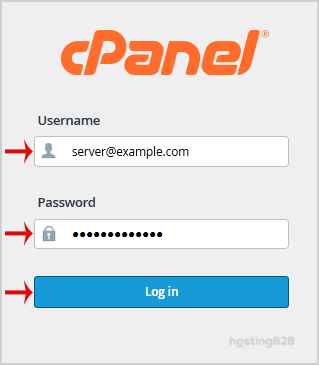
1. Open http://example.com/webmail, replace example.com with your domain name and enter your full email address and password in user login details and then press the Login Button.
2. You will be redirected to a cPanel Webmail Page. Click on any Webmail Email Reader like Horde, Roundcube or any other available application.
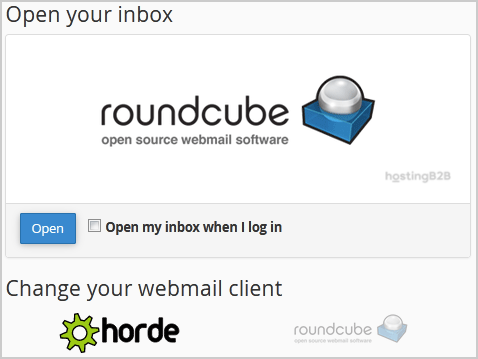
Once your Webmail Email Reader opens, you will be able to read your email and check your email inbox and junk email.
Round-the-Clock Support
Our certified experts are always available to resolve issues, ensure compliance, and maintain performance. For more information, contact our experts!
Related Email and Hosting Guides
- Create an Email Account in cPanel
- Add cPanel email on Apple/iOS
- Add cPanel email on Android
- Enable SpamAssassin in cPanel
To keep your inbox organized after you’ve started using webmail, set up email filters to automatically sort or block messages. See our tutorial on How to Create a User Level Email Filter in cPanel. We also recommend securing your webmail with an SSL certificate for encrypted access.








